Harvester UI · Developed by us
Subnets without a VPC get a clear "None" group on the VPC page
The issue asked us to show underlay subnets separately on the Virtual Private Cloud page. The page already shows this in its VLAN column, so we don't add a new group. While working on it, we found that subnets without a VPC sat in a group with an empty title and buttons that did nothing useful. We fixed that.
What changes for the user
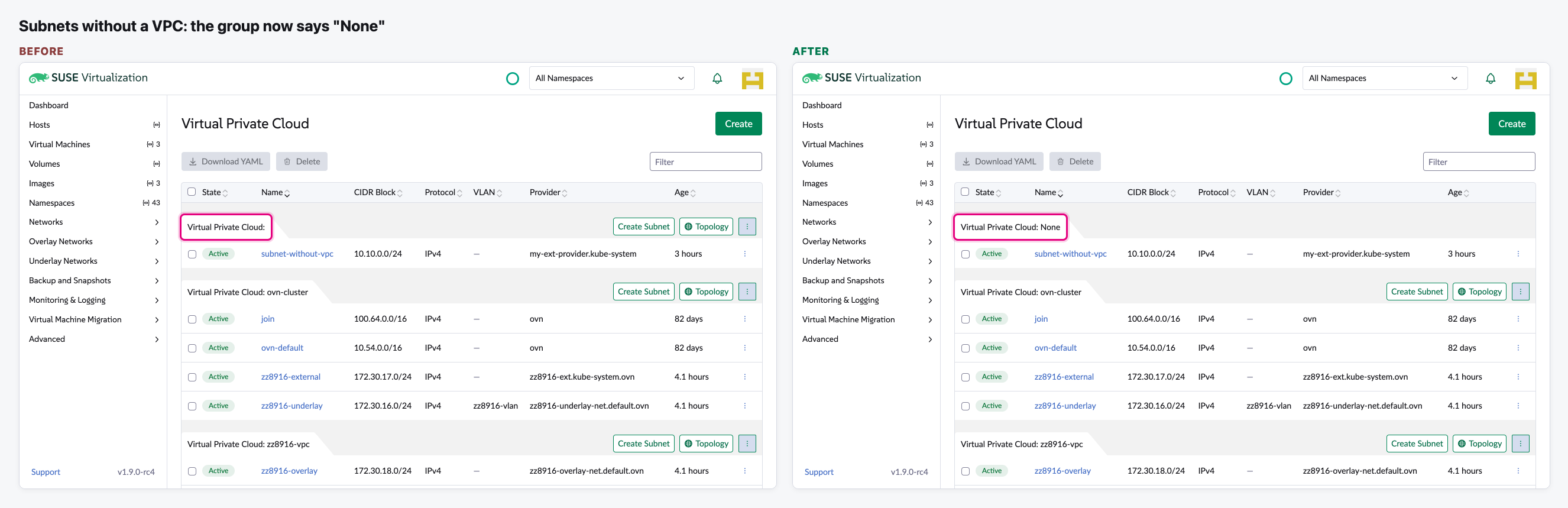
- Subnets that have no VPC are now listed under "Virtual Private Cloud: None" instead of a group with an empty title.
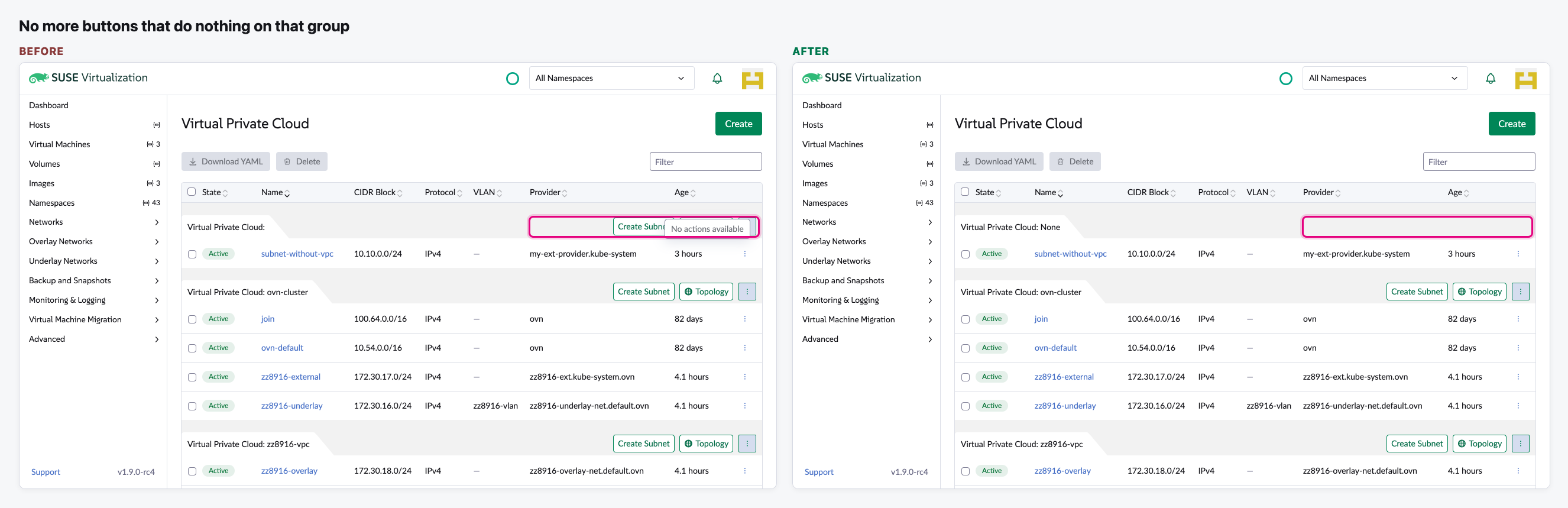
- That group no longer shows Create Subnet, Topology and a ⋮ menu. They had nothing to act on: Create Subnet opened the form with no VPC, Topology did nothing, and ⋮ said "No actions available".
- Every real VPC group keeps its title and its buttons.
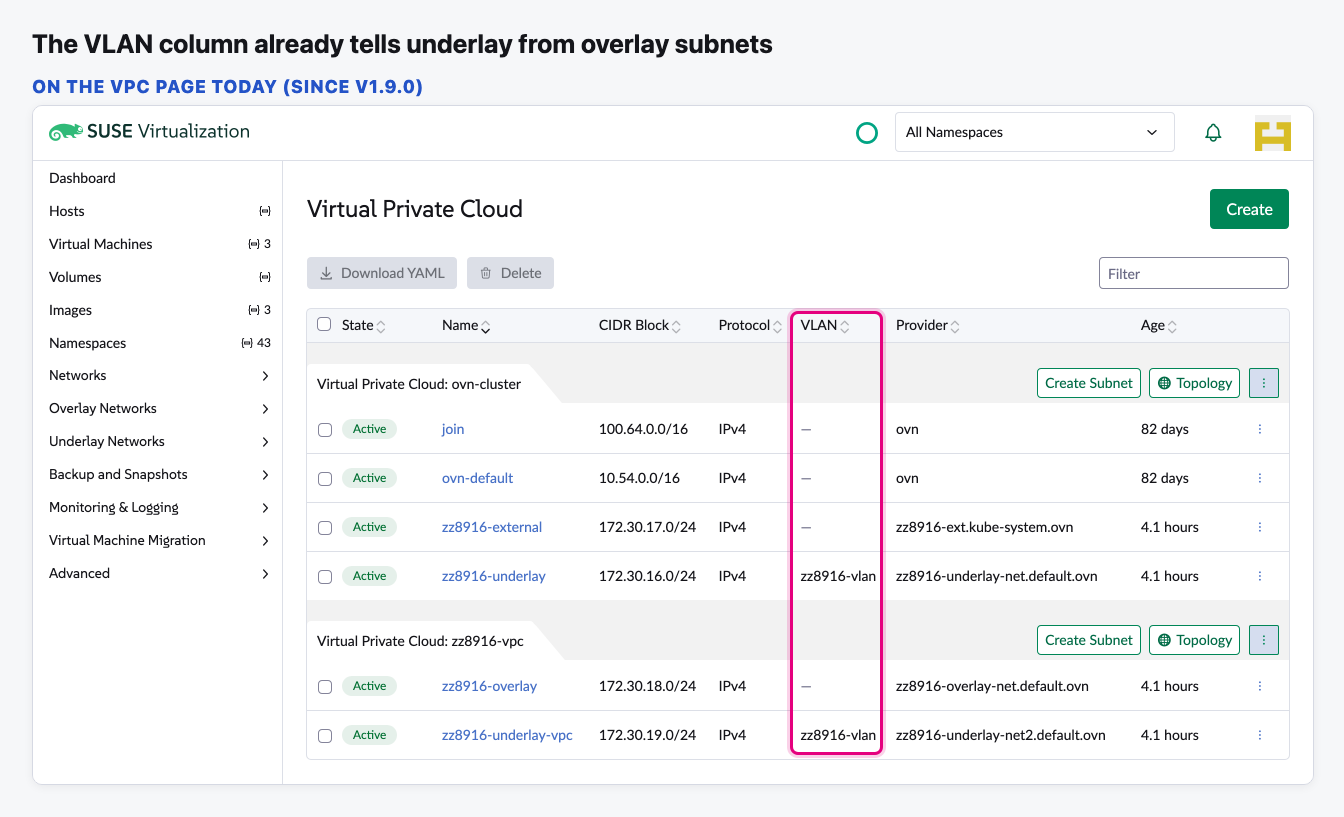
- We don't add an "Underlay Subnets" group. The VLAN column, there since v1.9.0, already shows which subnets are underlay: a subnet bound to a VLAN is an underlay subnet.
Needs a decision
- Is the VLAN column enough for the issue? Our proposal: Marcelo comments on the issue to point at the column and asks the reporters to confirm.
- Or do we want an extra "Group by VLAN" option on this page?
The flow
Underlay and overlay subnets, as the page shows them today
The VLAN column names the VLAN a subnet is bound to. A dash means it isn't bound to one.
The group of subnets without a VPC
Its title was "Virtual Private Cloud:" with nothing after it. Now it says "None".
No more buttons that do nothing
The buttons on that group are gone. The real VPC groups below keep theirs.
Video (optional)
0:00 Before: the empty group title, its empty ⋮ menu and Topology · 0:24 After: "Virtual Private Cloud: None", the other groups unchanged
Notes
- Subnets without a VPC are rare, so our test Harvester has none. We added one in the browser only to show this group. Nothing was created on the Harvester.
- "Group by VLAN" would be a small extra option on this page if we decide we want it. We'd use the VLAN as the system stores it, not a new "underlay" label.